Black Friday monitor buying guide
Five specs to check before you buy a monitor on November 27, with eight monitors from our catalog side by side.
By Offerove Editorial TeamUpdated 4 min readResearch-based, not hands-on
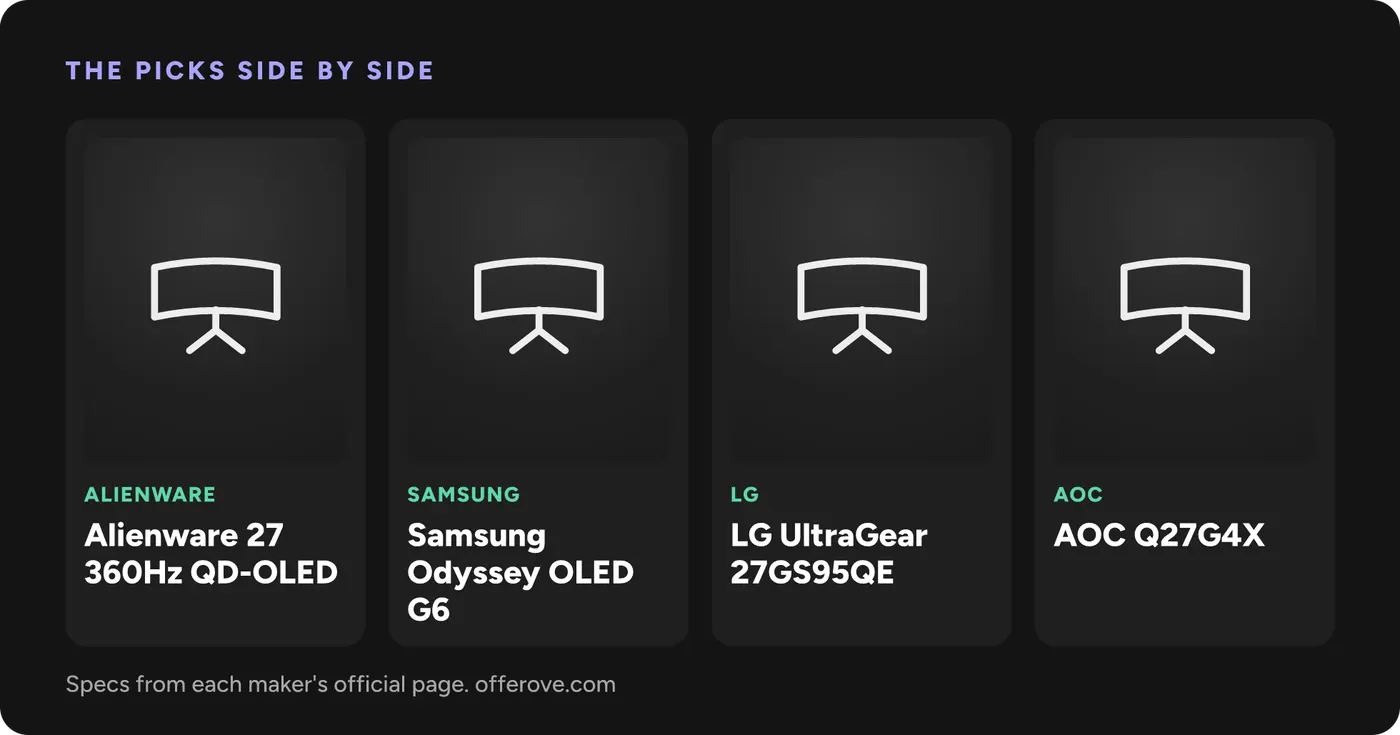
A Black Friday monitor buying guide comes down to five specs: resolution, refresh rate, panel type, HDMI version and the HDR label. Check them on the maker's page before you look at the price. As of November 2026, 4 of the 8 monitors in our catalog top out at 144 Hz over HDMI.
Black Friday 2026 is Friday, November 27. Monitors fill the deal pages, and most listings lead with one big number.
That number is usually the refresh rate. It is rarely the whole story. This guide shows the five specs to check, using eight real monitors from our catalog.
What should you check on a monitor on Black Friday?
Short answer: five specs, in this order: resolution, refresh rate, panel type, HDMI version and HDR label. The first three decide how games look and feel. The last two decide whether a console and HDR content get the full benefit.
- Resolution. 2560 x 1440 (1440p) or 3840 x 2160 (4K).
- Refresh rate. And on which port it works.
- Panel. OLED or IPS, and the response time that comes with it.
- HDMI version. Plus the top refresh rate the maker lists over HDMI.
- HDR label. A VESA DisplayHDR tier, or just a format name.
Our eight monitors, side by side
Short answer: seven of the eight are 27 in 1440p panels. The real differences are in the HDMI column and the HDR column. Specs are from each maker’s page, as of November 2026.
| Monitor | Resolution | Refresh | Panel | HDMI (top rate over HDMI) | HDR label |
|---|---|---|---|---|---|
| Alienware AW2725DF | 2560 x 1440 | 360 Hz | QD-OLED | HDMI 2.1 (QHD 144 Hz) | DisplayHDR True Black 400 |
| Samsung Odyssey OLED G6 | 2560 x 1440 | 360 Hz | OLED | 2x HDMI 2.1 (not listed) | HDR10, HDR10+ (no VESA tier listed) |
| LG UltraGear 27GS95QE | 2560 x 1440 | 240 Hz | OLED | 2x HDMI (HDMI 2.1 for 240 Hz) | DisplayHDR True Black 400 |
| AOC Q27G4X | 2560 x 1440 | 180 Hz | Fast IPS | 2x HDMI 2.0 (144 Hz) | DisplayHDR 400 |
| ASUS ROG Strix XG27ACS | 2560 x 1440 | 180 Hz | Fast IPS | HDMI 2.0 (144 Hz) | DisplayHDR 400 |
| ASUS TUF VG27AQ3A | 2560 x 1440 | 180 Hz | Fast IPS | 2x HDMI 2.0 (144 Hz) | HDR10 |
| LG UltraGear 27GR75Q | 2560 x 1440 | 165 Hz | IPS | 2x HDMI (version not listed) | HDR10 |
| Dell S2725QC | 3840 x 2160 | 120 Hz | IPS | 2x HDMI 2.1 (4K 120 Hz) | None listed |
On this list, the refresh rate on the box and the refresh rate over HDMI differ on half the monitors.
Resolution and refresh rate
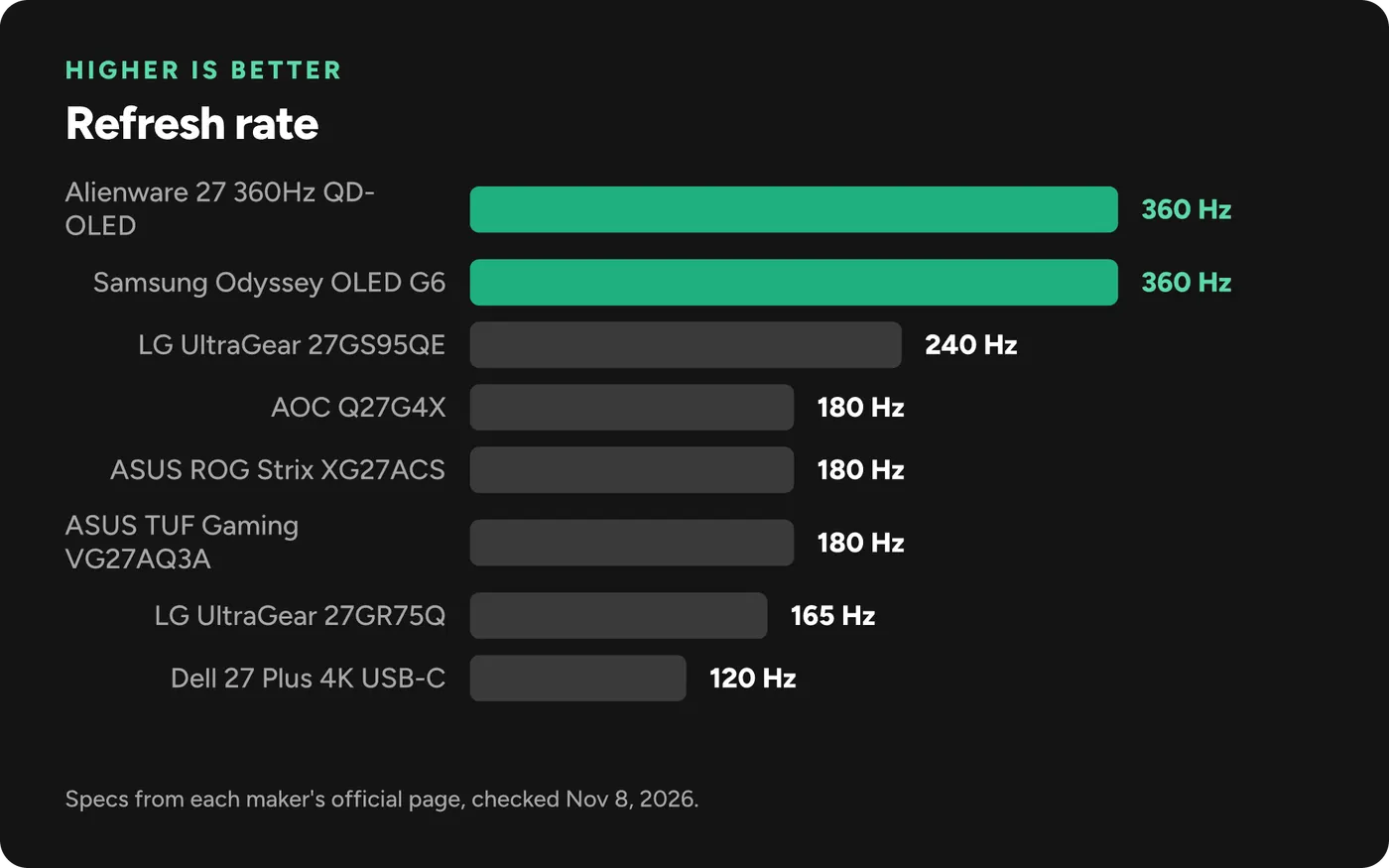
Short answer: at 27 in, 1440p is the common choice, and refresh rates here run from 120 Hz to 360 Hz. Check that your PC or console can feed the rate you pay for.
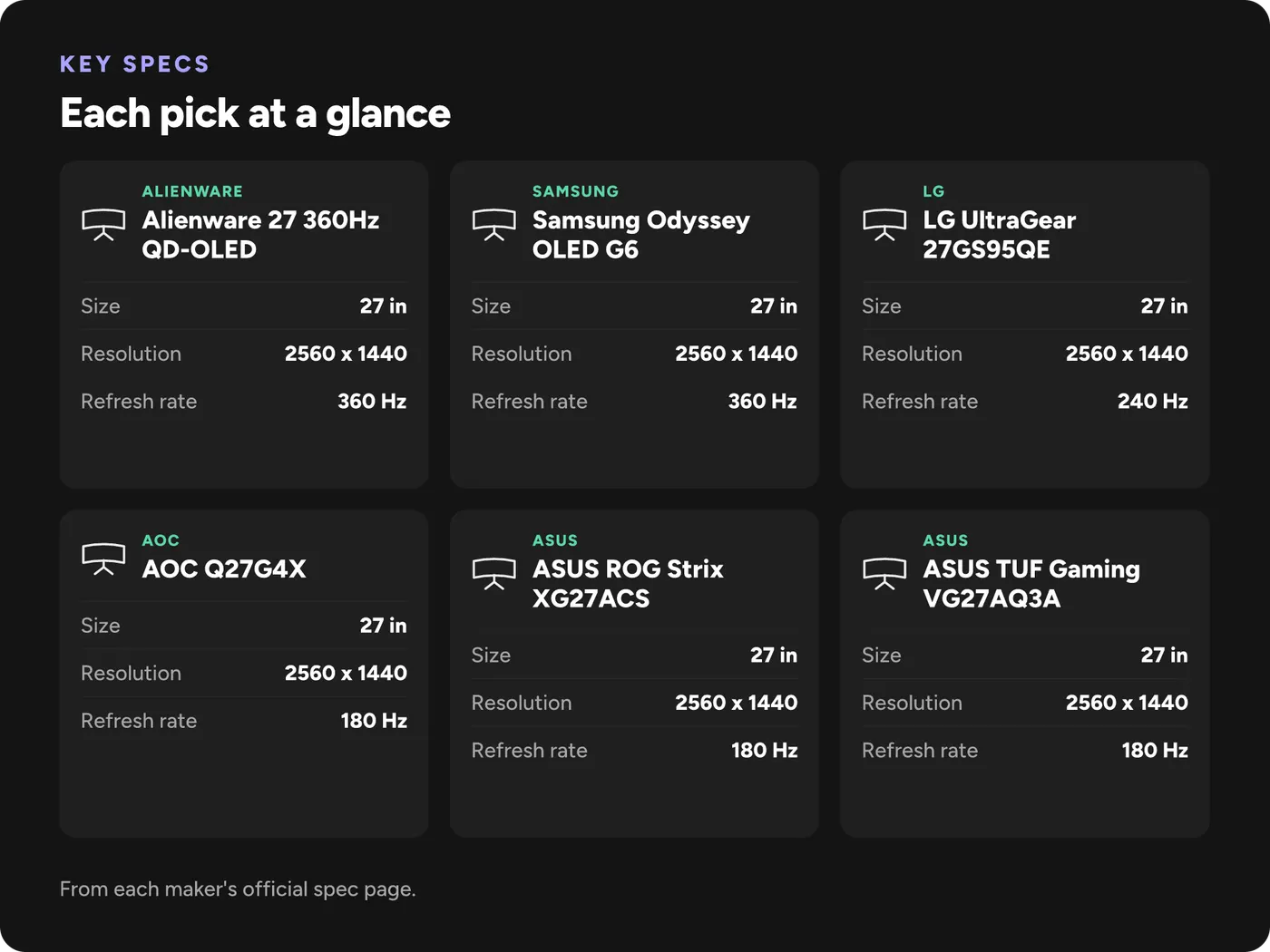
Seven of our eight monitors are 1440p. The Dell 27 Plus 4K (S2725QC) is the only 4K panel, at 120 Hz.
Our 1440p explainer covers the resolution. Our refresh rate explainer covers what the Hz number means.
Panel type: OLED or IPS
Short answer: the three OLEDs list 0.03 ms GtG response. The IPS panels list 1 ms GtG, or 4 ms for the Dell in its Extreme mode. With OLED, also read the burn-in terms.
The Alienware AW2725DF is a QD-OLED. Dell lists OLED burn-in coverage in its exchange service. Samsung lists burn-in at normal use as covered by warranty for the Samsung Odyssey OLED G6.
The LG UltraGear 27GS95QE is the third OLED, at 240 Hz, and LG lists a 1500000:1 contrast ratio. Our response time explainer explains GtG.
HDMI version: the console check
Short answer: if a console will plug in, read the HDMI line, not the refresh headline. Four of our eight monitors list 144 Hz as their top rate over HDMI.
The AOC Q27G4X, ASUS ROG Strix XG27ACS and ASUS TUF Gaming VG27AQ3A reach 180 Hz over DisplayPort (the XG27ACS also over USB-C). Their HDMI 2.0 ports top out at 144 Hz.
The Alienware has HDMI 2.1, but Dell lists it at up to QHD 144 Hz. So “HDMI 2.1” alone doesn’t tell you the rate.
HDMI.org lists 4K at 120 Hz among HDMI 2.1’s gaming features. PlayStation’s support page says the PS5 supports HDMI 2.1 and 4K 120 Hz output. Dell lists the S2725QC at up to 4K 120 Hz over HDMI 2.1.
The LG UltraGear 27GR75Q doesn’t list its HDMI version at all. Ask before you buy it for a console.
HDR label: tier or format?
Short answer: a VESA DisplayHDR tier means the monitor passed VESA’s test criteria. HDR10 alone is not a VESA tier. Of our eight, two carry DisplayHDR True Black 400 and two carry DisplayHDR 400.
VESA’s DisplayHDR summary sets each tier’s criteria for brightness, color gamut and bit depth. Our DisplayHDR explainer decodes each tier.
The TUF VG27AQ3A and 27GR75Q list HDR10 only. Dell calls the S2725QC “HDR ready” but lists no certification.
Price check on November 27
Short answer: three of our monitors have a maker list price on file. On Black Friday, compare the store’s price with these list prices. Store prices change and may be lower or higher.
- Alienware AW2725DF: $649.99 (List price from Dell, checked Nov 8, 2026).
- Samsung Odyssey OLED G6: $899.99 (List price from Samsung, checked Nov 8, 2026).
- Dell S2725QC: $349.99 (List price from Dell, checked Nov 8, 2026).
The two 360 Hz OLEDs list $250.00 apart. The Alienware lists a DisplayHDR True Black 400 tier and 400 nits typical brightness. The Samsung lists 250 nits typical and two HDMI 2.1 ports.
Our Black Friday plan has the watchlist. Read how to spot a fake Black Friday deal before trusting a “was” price. For picks, see monitors for PS5 and PC and our methodology.
The parts, side by side
| Part | Product | Best for | List price from maker |
|---|---|---|---|
| Gaming | Alienware 27 360Hz QD-OLED Gaming Monitor (AW2725DF) | Fast 1440p OLED gaming | $649.99, checked Nov 8, 2026 |
| Gaming | Samsung Odyssey OLED G6 (G60SD) 27 in | 360 Hz OLED gaming | $899.99, checked Nov 8, 2026 |
| Gaming | LG UltraGear 27GS95QE | OLED 1440p at 240 Hz | Not listed |
| Gaming | AOC Q27G4X | 1440p 180 Hz with HDR400 | Not listed |
| Gaming | ASUS ROG Strix XG27ACS | 1440p gaming with USB-C | Not listed |
| Gaming | ASUS TUF Gaming VG27AQ3A | Value 1440p 180 Hz gaming | Not listed |
| Gaming | LG UltraGear 27GR75Q | Entry 1440p IPS gaming | Not listed |
| Office | Dell 27 Plus 4K USB-C Monitor (S2725QC) | 4K USB-C desk setup | $349.99, checked Nov 8, 2026 |
List prices come from each maker's own US page. They are not store prices or sale prices.
How we chose
We compared every published monitor in our catalog using each maker's official spec page and list price where one exists, checked November 8, 2026, plus VESA, HDMI.org and PlayStation pages. Research-based, not tested in person. Our methodology.
FAQ
What is the most important monitor spec to check on Black Friday?
The refresh rate over the port you will use, since 4 of our 8 monitors list a lower top rate over HDMI.
Does HDR10 on a spec sheet mean good HDR?
No, HDR10 alone is not a VESA DisplayHDR tier, so look for a DisplayHDR or DisplayHDR True Black label.
Which of these monitors suits a PS5 at 4K 120 Hz?
The Dell S2725QC, the only 4K panel here, which Dell lists at up to 4K 120 Hz over HDMI 2.1.
When is Black Friday 2026?
Friday, November 27, 2026, with Cyber Monday on November 30.
Sources
- About Amazon: When is Black Friday? (FAQ) (opens in a new tab)
- VESA DisplayHDR: Summary of DisplayHDR specs under CTS 1.1 (opens in a new tab)
- HDMI.org: HDMI technology for enhanced gaming (opens in a new tab)
- PlayStation Support: How to change PS5 console resolution (opens in a new tab)
- Alienware 27 360Hz QD-OLED Gaming Monitor (AW2725DF): Alienware official specs (opens in a new tab)
- Samsung Odyssey OLED G6 (G60SD) 27 in: Samsung official specs (opens in a new tab)
- LG UltraGear 27GS95QE: LG official specs (opens in a new tab)
- AOC Q27G4X: AOC official specs (opens in a new tab)
- ASUS ROG Strix XG27ACS: ASUS official specs (opens in a new tab)
- ASUS TUF Gaming VG27AQ3A: ASUS official specs (opens in a new tab)
- LG UltraGear 27GR75Q: LG official specs (opens in a new tab)
- Dell 27 Plus 4K USB-C Monitor (S2725QC): Dell official specs (opens in a new tab)
Related
Best 1440p gaming monitors (2026)
Four 27-inch QHD monitors, from 180 Hz IPS panels to a 240 Hz OLED, matched by HDR, stand and ports.
Best monitors for PS5 and PC (2026)
The PS5 tops out at 120 Hz over HDMI 2.1. These four monitors cover that and still give your PC room to run faster.
Best OLED gaming monitors (2026)
Three 27-inch 1440p OLEDs at 240 Hz and 360 Hz, compared on brightness, HDMI 2.1 and burn-in cover.