Black Friday laptop deals: what to check
Same name, different laptop. Seven checks to run on any Black Friday listing, plus a watchlist of eight laptops with exact configs.
By Offerove Editorial TeamUpdated 5 min readResearch-based, not hands-on
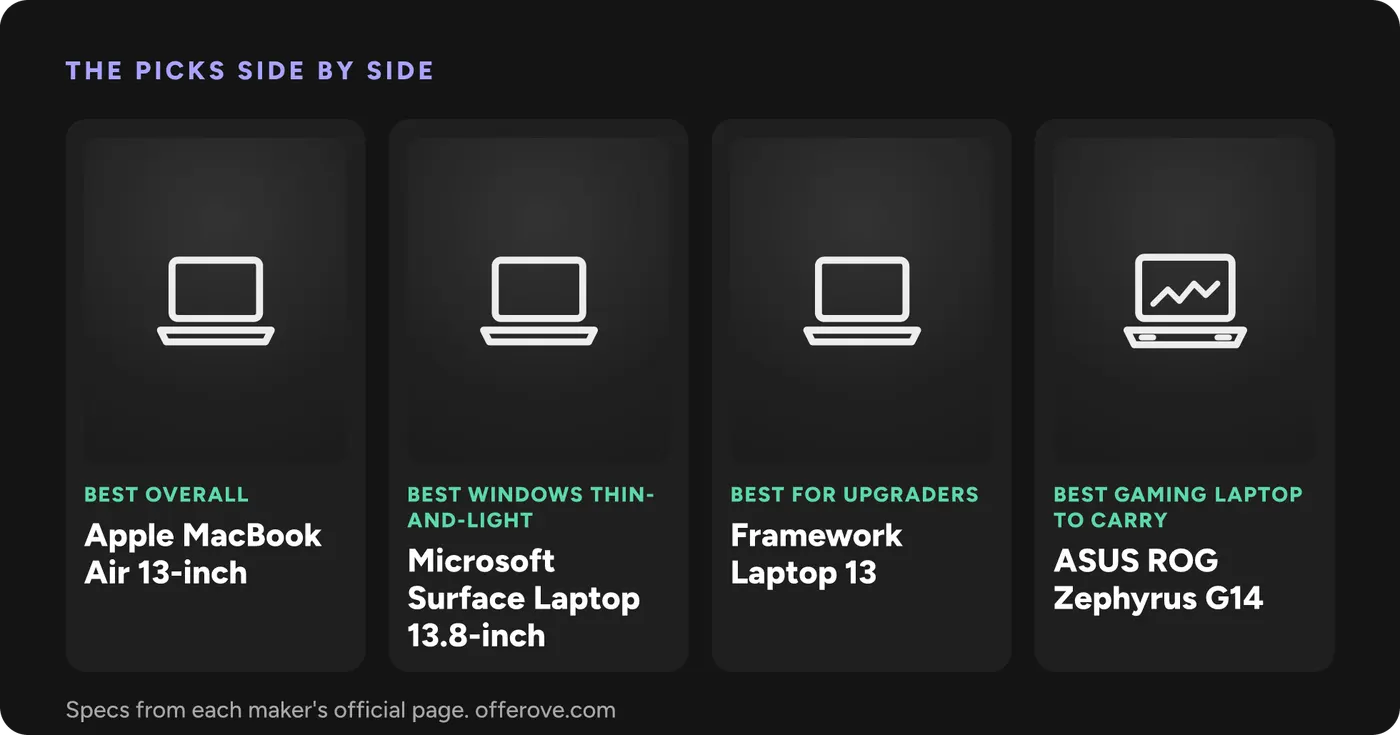
The smart way to shop Black Friday laptop deals is to pick the exact config first. Check memory, storage, GPU power, ports and chip type before the price. On our watchlist, the MacBook Air 13 (M4, 16 GB, 256 GB) is the best overall pick, and the Zephyrus G14 is the gaming laptop to carry.
Our picks
| Pick | Product | Store |
|---|---|---|
| Best overall | Apple MacBook Air 13-inch (M4, 8-core GPU, 16 GB, 256 GB) | Buy at Apple (opens Apple in a new tab) |
| Best Windows thin-and-light | Microsoft Surface Laptop 13.8-inch (7th Edition, Snapdragon X Plus, 16 GB, 512 GB) | Buy at Microsoft (opens Microsoft Store in a new tab) |
| Best for upgraders | Framework Laptop 13 (Ryzen AI 300, Base: Ryzen AI 5 340, 16 GB, 256 GB) | |
| Best gaming laptop to carry | ASUS ROG Zephyrus G14 (2025) (GA403UP-CS96, Ryzen 9 270, RTX 5070, 32 GB, 1 TB) | Buy at ASUS (opens ASUS eShop in a new tab) |
| Best desk gaming laptop | Lenovo LOQ 15 Gen 10 (83JE000NUS, Core i7-14700HX, RTX 5060) | See it at Lenovo (opens Lenovo in a new tab) |
Who it's for
- You want 16 GB of memory or more
- You want a laptop from 1.24 kg to 2.4 kg, macOS or Windows 11
Skip it if
- You need more than 1000 GB of storage on day one
- You need an RTX GPU on a Mac: the MacBooks use Apple GPUs
From the makers' checked specs of the products in this guide.
Black Friday 2026 is Friday, November 27. Laptops are the trickiest buy of the weekend, because one product name can hide several configurations.
This page lists no store discounts, because we don’t have store prices yet. It is a set of checks, plus a watchlist of the eight laptops in our catalog with page-verified specs.
Only one has a maker list price on file: the Surface Laptop 13.8-inch at $1,299.99 (List price from Microsoft, checked Nov 8, 2026). Store prices change and may be lower or higher.
What should you check before buying a laptop on Black Friday?
Short answer: the exact configuration. Match the model number, then check memory, storage, GPU power, ports and chip type. Only then look at the price. Each check below uses a real spec from our watchlist.
| Check | What to look for | Example from our watchlist |
|---|---|---|
| 1. Model number | The full config code | Lenovo LOQ 15 Gen 10: 83JE000NUS |
| 2. Memory | 16 GB or more, and whether it can grow | Legion 5: one 16 GB stick, two slots |
| 3. Storage | 256 GB fills up fast | MacBook Air 13 and Framework Base: 256 GB |
| 4. GPU power | Watts, not just the GPU name | RTX 5060: 100 W (LOQ) vs 115 W (Legion 5) |
| 5. Ports | USB4 speed in Gbps | Zephyrus G14: USB4 at 40Gbps |
| 6. Chip type | x86 or Arm | Surface Laptop: Snapdragon X Plus (Arm) |
| 7. Returns | Holiday window, restocking fees | The store’s return policy |
A few notes on the trickier checks.
Memory. The Zephyrus G14’s 32 GB is on board, with no upgrade path. The Framework uses two socketed 8 GB sticks. Our RAM explainer covers how much you need.
Ports. USB-IF’s naming guidelines ask makers to label USB4 by speed, such as “USB4 40Gbps”. If a listing just says USB4, check the maker’s page. Our USB-C vs Thunderbolt explainer has the details.
Chip type. Microsoft’s Windows Arm FAQ says most Windows apps run on Arm PCs, and apps not built for Arm run through emulation. Device drivers must exist for Arm64, and some games with anti-cheat may not work.
One laptop name can cover several configs. The model number is the only spec that tells you which one is in the box.
The watchlist: eight laptops, exact configs
Short answer: five Windows or macOS thin-and-lights and three gaming laptops. Each row is the exact config our specs describe, as of November 2026. If a store lists a different config, the specs will differ.
| Laptop | Config we list | Screen | Weight | Battery |
|---|---|---|---|---|
| MacBook Air 13 | M4, 16 GB, 256 GB | 13.6 in | 1.24 kg | 53.8 Wh |
| MacBook Air 15 | M4, 16 GB, 256 GB | 15.3 in | 1.51 kg | 66.5 Wh |
| MacBook Pro 14 | M5, 16 GB, 512 GB | 14.2 in, 120 Hz | 1.55 kg | 72.4 Wh |
| Surface Laptop 13.8 | Snapdragon X Plus, 16 GB, 512 GB | 13.8 in, 120 Hz | 1.34 kg | 54 Wh |
| Framework Laptop 13 | Ryzen AI 5 340, 16 GB, 256 GB | 13.5 in, 60 Hz | 1.3 kg | 61 Wh |
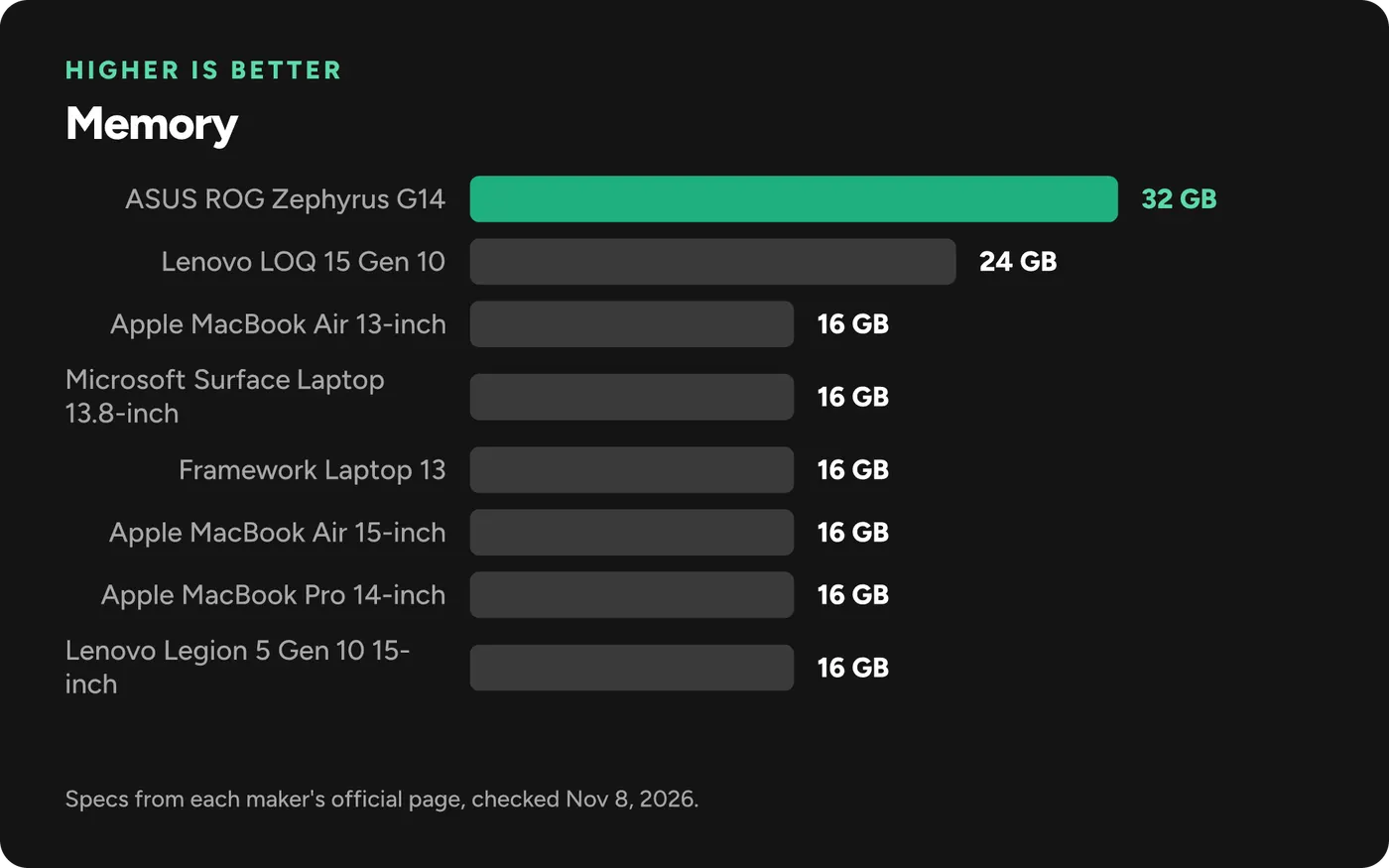
| Zephyrus G14 | Ryzen 9 270, RTX 5070, 32 GB, 1 TB | 14 in, 120 Hz | 1.5 kg | 73 Wh |
| Legion 5 Gen 10 | Core Ultra 7 255HX, RTX 5060, 16 GB, 1 TB | 15.1 in, 165 Hz | 1.9 kg (starting) | 80 Wh |
| LOQ 15 Gen 10 | Core i7-14700HX, RTX 5060, 24 GB, 1 TB | 15.6 in, 144 Hz | 2.4 kg (starting) | 60 Wh |
Thin-and-light picks
Short answer: the MacBook Air 13 (M4) is the lightest laptop on the list at 1.24 kg. Windows users should watch the Surface Laptop 13.8-inch, and tinkerers the Framework Laptop 13.
The Air 13 has two Thunderbolt 4 ports, MagSafe 3 and Wi-Fi 6E. It has no HDMI port.
The Surface adds a 120 Hz 3:2 touchscreen and Wi-Fi 7. Wi-Fi Alliance lists 320 MHz channels and Multi-Link Operation among Wi-Fi 7’s features.
The Framework has four Expansion Card slots. The rear two are USB4. Its Base tier screen runs at 60 Hz.
Want more room? The MacBook Air 15 (M4) and MacBook Pro 14 (M5) are on the list too. The Pro adds HDMI, an SDXC slot and 512 GB.
Gaming picks
Short answer: the ASUS ROG Zephyrus G14 (2025) is the one to carry, at 1.5 kg. The Lenovo LOQ 15 Gen 10 and Lenovo Legion 5 Gen 10 are desk machines with Ethernet and HDMI 2.1.
The G14’s RTX 5070 runs up to 90 W. Both Lenovos use an RTX 5060, at 100 W in the LOQ and 115 W in the Legion.
The Legion is 0.5 kg lighter than the LOQ at their starting weights. It adds a 165 Hz OLED and Thunderbolt 4. The LOQ ships with more memory, 24 GB against 16 GB.
A quick battery check, in watt-hours per kilogram: the G14 has about 48.7, the Legion about 42.1 and the LOQ about 25.0. Watt-hours are capacity, not hours of use.
Before you buy on November 27
Short answer: save the model number and the maker’s page for your pick now. On the day, compare the store’s price with the maker’s list price where one exists. Then check the return window.
The FTC’s online shopping advice says to check who pays return shipping, how many days you have and any restocking fees.
Our Black Friday plan has the full watchlist. Read how to spot a fake Black Friday deal before you trust a “was” price.
Shopping for school? See our laptops for college students and the Student Hub. Our methodology explains how we pick.
The picks, side by side
| Product | Processor | Memory | Storage | Screen size | Weight | Battery | Spec score |
|---|---|---|---|---|---|---|---|
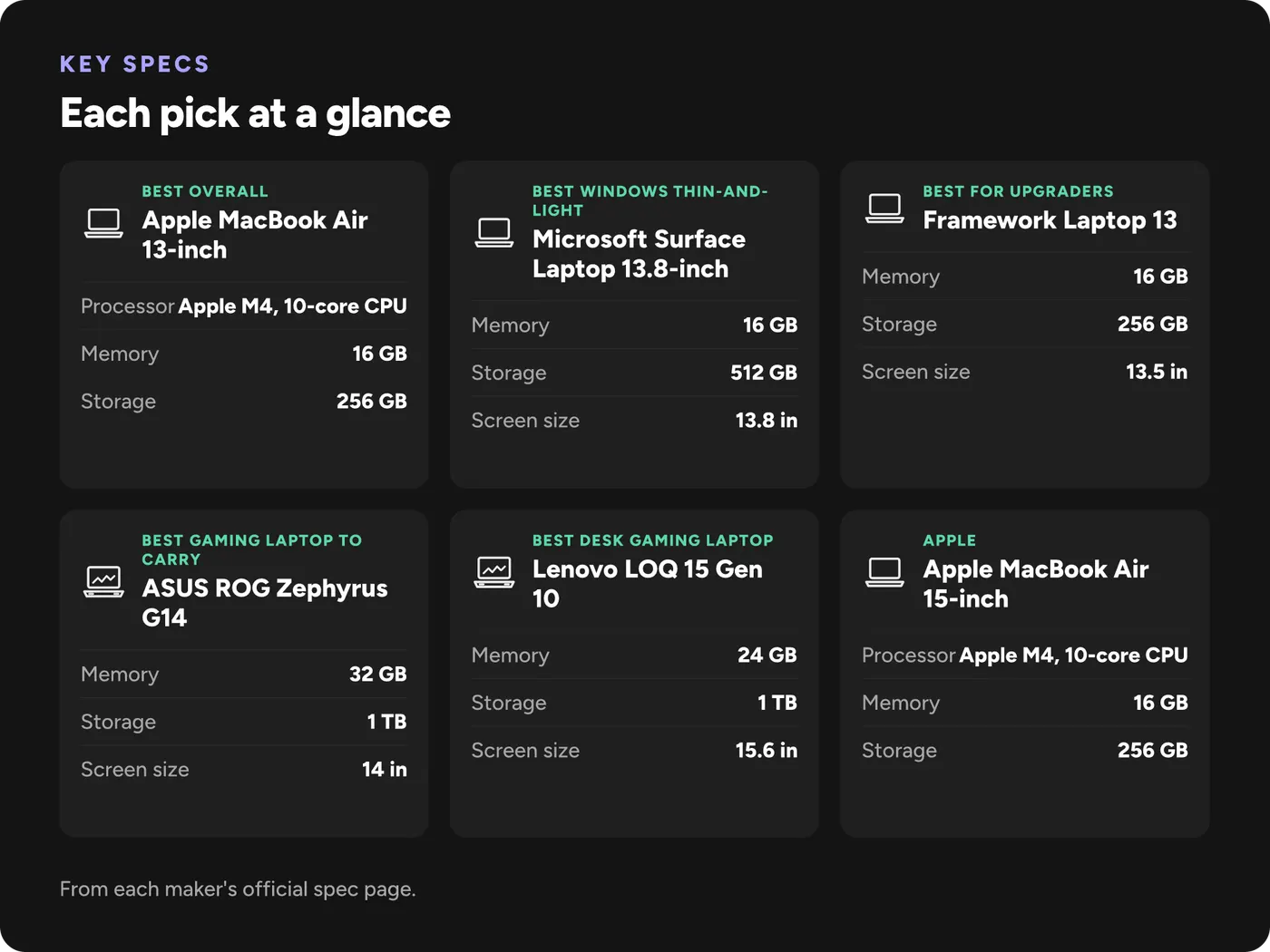
| Apple MacBook Air 13-inch (M4, 8-core GPU, 16 GB, 256 GB) | Apple M4, 10-core CPU | 16 GB | 256 GB | 13.6 in | 1.24 kg (2.73 lb) | 53.8 Wh | 6.7/10 |
| Microsoft Surface Laptop 13.8-inch (7th Edition, Snapdragon X Plus, 16 GB, 512 GB) | Qualcomm Snapdragon X Plus (10-core, X1P64100) | 16 GB | 512 GB | 13.8 in | 1.34 kg (2.95 lb) | 54 Wh | 6.9/10 |
| Framework Laptop 13 (Ryzen AI 300, Base: Ryzen AI 5 340, 16 GB, 256 GB) | AMD Ryzen AI 5 340 (6 cores, 12 threads) | 16 GB | 256 GB | 13.5 in | 1.3 kg (2.87 lb) | 61 Wh | 6.3/10 |
| ASUS ROG Zephyrus G14 (2025) (GA403UP-CS96, Ryzen 9 270, RTX 5070, 32 GB, 1 TB) | AMD Ryzen 9 270 (8 cores, 16 threads) | 32 GB | 1 TB | 14 in | 1.5 kg (3.31 lb) | 73 Wh | 8.4/10 |
| Lenovo LOQ 15 Gen 10 (83JE000NUS, Core i7-14700HX, RTX 5060) | Intel Core i7-14700HX (20 cores, 28 threads) | 24 GB | 1 TB | 15.6 in | 2.4 kg (5.29 lb) | 60 Wh | 6.7/10 |
Specs from each maker's official page, checked Nov 8, 2026. Spec score formula: how we score.
Apple MacBook Air 13-inch (M4, 8-core GPU, 16 GB, 256 GB)
1.24 kg with 16 GB of memory and two Thunderbolt 4 ports plus MagSafe 3 in the config we list. The catch to check: 256 GB of storage.
Good for
- Students and everyday users
- People who carry a laptop all day
Not for
- Windows-only gamers
- People who need lots of ports
Microsoft Surface Laptop 13.8-inch (7th Edition, Snapdragon X Plus, 16 GB, 512 GB)
A 13.8 in 120 Hz 3:2 touchscreen, 16 GB and 512 GB, Wi-Fi 7 and 1.34 kg. It runs a Snapdragon X Plus, so it is a Windows on Arm laptop.
Good for
- Students who write and browse all day
- Office work on battery
Not for
- PC gamers
- People who rely on niche x86 software
Framework Laptop 13 (Ryzen AI 300, Base: Ryzen AI 5 340, 16 GB, 256 GB)
Socketed DDR5 memory (2x 8 GB) and four swappable Expansion Card ports, at 1.3 kg. The Base tier we list has a 60 Hz screen and 256 GB.
Good for
- People who repair and upgrade
- Linux and Windows tinkerers
Not for
- Gamers
- People who want a ready-made fixed config
ASUS ROG Zephyrus G14 (2025) (GA403UP-CS96, Ryzen 9 270, RTX 5070, 32 GB, 1 TB)
The lightest gaming pick at 1.5 kg, with an RTX 5070 running up to 90 W, 32 GB on board and a 120 Hz OLED. Memory cannot be upgraded.
Good for
- Gamers who carry their laptop daily
- Students who game and edit
Not for
- People who want upgradeable RAM
- Max-frame-rate desktop replacement buyers
Lenovo LOQ 15 Gen 10 (83JE000NUS, Core i7-14700HX, RTX 5060)
An RTX 5060 at 100 W TGP, 24 GB of DDR5 in two slots and a 1 TB SSD. At 2.4 kg starting weight, it is built to stay on a desk.
Good for
- Gamers on a desk most of the time
- 1080p high-refresh play
Not for
- People who carry a laptop daily
- Battery-first users
How we chose
We listed every published laptop in our catalog whose specs come from the maker's own page, with the exact config those specs describe, checked November 8, 2026. Checks draw on Microsoft, USB-IF, Wi-Fi Alliance and FTC pages. Research-based, not tested in person. Our methodology.
FAQ
What is the first thing to check on a Black Friday laptop listing?
The model or config number, because one laptop name can cover several memory, storage and GPU configurations.
How much memory should a Black Friday laptop have?
Every laptop on our watchlist ships with at least 16 GB in the config we list, so treat 16 GB as the floor.
Is an RTX 5060 the same in every laptop?
No, Lenovo lists it at 100 W in the LOQ 15 and 115 W in the Legion 5, so check the listed power.
When is Black Friday 2026?
Friday, November 27, 2026, with Cyber Monday on November 30.
Sources
- About Amazon: When is Black Friday? (FAQ) (opens in a new tab)
- Microsoft Support: Windows Arm-based PCs FAQ (opens in a new tab)
- USB-IF: USB4 Specification Language Usage Guidelines (opens in a new tab)
- Wi-Fi Alliance: Wi-Fi Alliance introduces Wi-Fi CERTIFIED 7 (opens in a new tab)
- FTC Consumer Advice: Online shopping (opens in a new tab)
- Apple MacBook Air 13-inch (M4, 8-core GPU, 16 GB, 256 GB): Apple official specs (opens in a new tab)
- Microsoft Surface Laptop 13.8-inch (7th Edition, Snapdragon X Plus, 16 GB, 512 GB): Microsoft official specs (opens in a new tab)
- Framework Laptop 13 (Ryzen AI 300, Base: Ryzen AI 5 340, 16 GB, 256 GB): Framework official specs (opens in a new tab)
- ASUS ROG Zephyrus G14 (2025) (GA403UP-CS96, Ryzen 9 270, RTX 5070, 32 GB, 1 TB): ASUS official specs (opens in a new tab)
- Lenovo LOQ 15 Gen 10 (83JE000NUS, Core i7-14700HX, RTX 5060): Lenovo official specs (opens in a new tab)
Related
How to spot a fake Black Friday deal
A big "was" price is easy to print. Here is how to check whether the discount is real before you pay.
Student tech setup: a laptop and three add-ons
A light laptop, noise-cancelling earbuds, and a mouse and keyboard that switch between your devices.
Best laptops for college students (2026)
Three laptops for notes, papers and late-night streaming, picked from official specs on weight, battery and memory.